How the HTML5 game “Ready to Roll” was built for iPhone

In mid February I successfully got my second game, Ready To Roll, into the App Store. The game is a little bit like a cross between a marble labyrinth game and a puzzle game, I think this blend makes it a little different to other games available.

r2r-2

In this post, I’ll show you what I used to create the game and how I managed to get an HTML5 game performing like a native one.

Choosing the right software*

With all other games I’ve made, I’ve followed a model that uses one level that gets progressively harder over time. This approach is great for producing game quickly, but with Ready to Roll I wanted to use levels to make the game more difficult, in the same way as games like Angry Birds does.

The design of the game is very minimalist, my aim being to keep it uncluttered so the player can concentrate on solving what to do. Keeping things to a minimum also helped with creating the levels quickly.

One problem with games that have levels is that making levels can be very time consuming. To allow me to dedicate more time to the idea behind each of the levels (rather than code) I used Construct 2 to build the game, giving me a great way to create levels and test them very quickly.

Screen shot of a level being edited in Construct 2

Construct 2 is a great piece of software, and I’d encourage you to give it a try if you’re interested in building HTML5 games. You can use it with no programming skills, or you can flex your developer muscles and write extensions for it using JavaScript.

It also gives you heaps of export options, such as Chrome Web Store, PhoneGap and Windows 8.

Screen shot of the export options available in Construct 2

* might not be right for you

Construct 2 on Mac

Unfortunately Construct 2 is only available on Windows, and I use a Macbook Air. That hasn’t stopped me from using it though, I’ve found that running Parallels with Windows 8 works really well, and I can use Construct 2 almost as if it’s an application running on OSX.

Screen shot of Construct 2 in the OSX dock

Game performance

The big problem with creating a game for the iPhone using HTML5, is performance. With iOS6 and the latest hardware, you can run your games straight off the web, which is fantastic. But for older phones, the performance struggles. On an iPhone 4 “Ready to Roll” was unplayable.

To get around this I decided to give CocoonJS a whirl. CocoonJS’s claim to fame is that it will boost the performance of Canvas by 1000% (yes that’s 3 zeros, not a typo). I’m not sure if this is true, but what I can say is that it works wonderfully, giving me at least 40 fps on iPhone 4, and a rock solid 60 fps on anything above. I also tried the game out on a low powered Android phone (Samsung Galaxy Ace), and the performance was on par with the iPhone 4.

Testing

I ended up using the following steps to test the game as I built it:

  • (Did this a lot) Preview in Chrome via Construct 2’s “Run Layout” feature
  • (Did this a bit) Preview the game on my tablet and phone by exporting the game running it from my local version of Apache (BTW Construct 2 also includes the ability to view the layout over wifi)
  • (Did this a bit) Export the game for “CocoonJS”, host the associated zip file on a web server, and use the CocoonJS launcher app to preview the final game using CocoonJS

Final release

Prepping the game for release was fairly straightforward, the CocoonJS cloud compiler allows you to upload the file exported from Construct 2; after a few minutes it will email you back to say that your project is ready. It gives you back an Xcode project which you will need to use to associate your distribution certificate from Apple, once you’ve done this you follow the typical steps to get your app to Apple for review.

One thing I didn’t realise when releasing the game was that Apple changed the rules on uploading screenshots for an App. When you start the process of putting your app in for review you can setup descriptions, screenshots etc. Whilst it’s in review you can edit these things, but once you’re approved you can no longer change the screenshots. To change the screenshots, you will need to resubmit your app. I have yet to do this, so my app only has one screenshot – whoops…

Final approval from Apple came through in under a week.

Now go and download it and have fun.

Links:
https://itunes.apple.com/au/app/ready-to-roll/id599403480?mt=8
https://cocoonjsservice.ludei.com/
https://www.scirra.com/
http://www.ludei.com/

Finding time to make games

As long as things go according to plan I’ll have a new game ready for the App Store within 2 weeks. Go me!

Here’s the gist of this post, if you want to save reading through my ramblings:

  • Don’t be afraid to abandon a project as long as you learn from it.
  • If you’re trying to make a game in your spare time, limit the amount of time you spend on it, if it looks like it’s going to take more than 2 weeks, stop and rethink.
  • Choose tools that will help you get to the end quicker (eg level designing tools, physics libraries etc)
  • Use your pre-existing skills as much as you can and don’t pick too many new things to learn.

I love thinking up and making games

It’s been over 14 years since I made my first online game, when I first created SheepGame I thought that I would punch out games every few weeks, and if you’d spoken to me in 1999 and asked me how many I’d have made by 2013 I’d have said something like “shit loads”. But in reality it’s only a handful.

In the year after SheepGame was launched I created 2 more games, DogGame and a shopping game for Vogue (no longer live) I also reworked the original SheepGame, which is still online to this day.

So where are all the games?

What happened to the landslide of games? Was it laziness? Was I too busy? Had I run out of ideas?

It might have been a couple of these things, but I think the thing that held me back was being overly ambitious with anything I wanted to make, then disappointing myself that I couldn’t make anything. I’d have a great idea, but the development and/or design time would take waaaay too long.

Throughout 2000 – 2011 I’d fixate on the fact that if I had an idea for something I must see it through to the end, if it was something very complex I would end up fatiguing my self and losing confidence until I abandoned the project. This would take up months of my life, and each time it would happen my confidence would go down.

Starting to finish

In 2011 I started to change my mentality, I’d set myself a new years resolution the year before to create an app for the app store but I failed to realise it. My game, Barnyard Balance should have been great, but I bit off more than I could chew and throughout 2010 I tried to finish it but I was destined to repeat what I’d done so many times before – wear myself out. What changed in 2011 was that rather than just let it peter out, I stopped and set myself some rules.

The rules of the game

1. Coming up with the idea can take as long as I like
2. The design and development must be done in 3 weeks or under

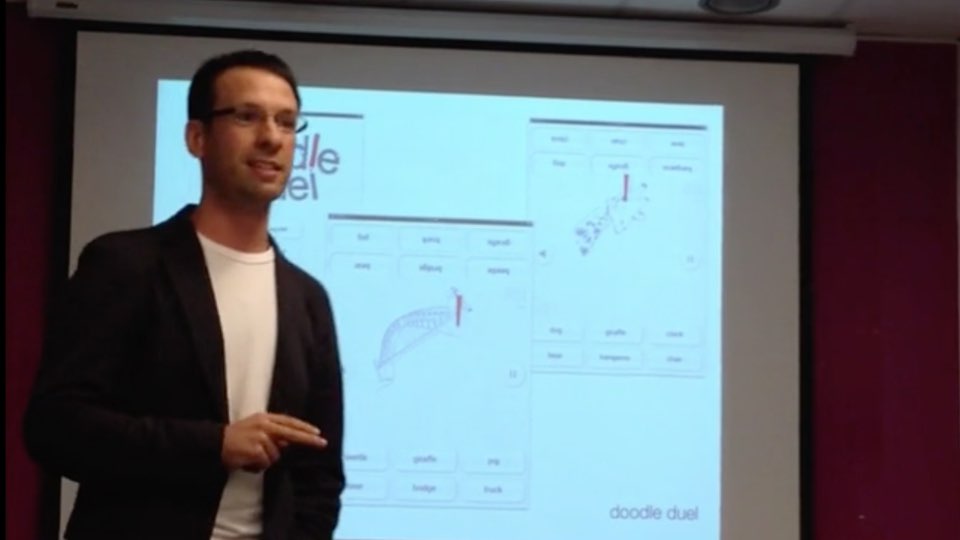
So with those rules, I managed to create Doodle Duel by mid February 2011. A very simple PhoneGap based game, that has proved quite popular since it was released.

In the year since I’ve had a million ideas for other games, but always kept the rules in my head. As a result I’ve had 2 games fairly advanced in their ideas and execution, but they have been brutally canned because of the timing rule.

So what happens when I work like this? Isn’t the effort I make on the games wasted?

Not at all, each time I fail to create a game, I learn something that can be taken into the next one. They become more like training sessions, getting me ready for the big event (the time I have an idea that is 100% fulfilled).

What I’ve learned from the failed games

Barnyard Balance

bb-01

Barnyard Balance is a game where you have to keep animals off the ground by balancing them on a seesaw.

What happened: Whilst the idea seemed like fun, the screen size and controls wouldn’t quite gel together. A late move to the iPad then increased the amount of design time I needed to devote.
What I learned: Spend more time planning.

What happened? Each level in BB required a different set of things to balance, and different things to balance them on. Whilst I could define these in something like XML, I really wanted to manipulate the levels in a more visual way to get the right balance (no pun intended) in the game.

What I learned: If your game requires levels, then ensure that you have some kind of level editing tool available.

What happened? In trying to create Barnyard Balance I tried to learn way too much; Lua, Toon Boom, xCode, Corona SDK, InkScape, how to use a Mac, Git… the list could go on. Learning each of these new things takes time in itself, without having to do it in the context of a game.

What I learned: Use more of your pre-existing skills to develop your idea, and keep learning to a limited set of areas. Also, try to keep the areas you learn things that will help you in other projects.

Territory

Territory is a turn based strategy game, in the style of Tic Tac Toe.

What happened? Despite converting the game to being paper based before starting development, so I could iterate through variations of the game rules, once the game was running on the device players would end up with very similar results each time they played. Which was fun the first time around… not so fun the 4th or 5th.

What I learned: Even though the idea for a game seems good, when you play the game for real it’s very hard to find a good balance for the players. Especially if it’s for 2 or more. If you can’t get this balance right you will lose a lot of time in trying to find it.

Who is it?

home4

Who is it? is a memory game where you see illustrations of people and learn something about them (eg their name and favourite colour). Then need to recall that information through a series of minigames.

What happened? Part of the requirement for this game, was to be able to create the faces quickly and easily. If I were to pursue building it, I would have lost a lot of time in creating UI widgets that would allow me to create this interface. The UI requirements weren’t anything too complex, they just weren’t supported by the technology I chose.

What I learned: When you choose the technology for the game, ensure that it can easily support the elements required to complete it. Even though I could spend time implementing everything I need, it would take me well over the timing rule.

What’s next?

By early February I hope to have my next game 100% finished. I’ve obeyed the rules, and at the time of writing I’m just under half way through the development and design (1 week). I’ve found software that allows me to easily edit the levels, the graphic design is clean & simple, and I’ve limited myself to only having to learn about the authoring software.

So the next time I write on my blog I’ll tell you all about it, wish me luck.

Responding to Responsive Design – how my workflow is changing

“We’ll just make it responsive” – this is something I hear more and more, and when I hear it, I shudder slightly because I don’t really know what it means.

I’ve read lots of articles, used the approaches that are recommended. Implemented pages and sites that use the approach. But I still have this niggling doubt that I just don’t know what I’m doing.

It just seems to be so haphazard, that you implement a design and then see when it breaks… then fix it up. It just doesn’t feel very clean.

It also seems like there’s so much more work to do, so many browsers to support on many different platforms, and an ever growing set of resolutions.

Everyone is jumping in to do this, but no one seems to have stopped to plan how, or what the implications should be. Is Photoshop the best way to design this way? how can we test on so many devices and platforms?

I’m writing this article at a point where I feel that the penny is starting to drop, I don’t have all the answers but I think I can finally start to see how the process works. The penny started to drop, when I decided to work over Christmas, and use some of that time to investigate some emerging trends in frontend development.

The problems that I see, boil down to the following:

  • How do I need to think when it comes to a Responsive Design?
  • How can I test on so many devices, browsers and resolutions?
  • Isn’t all this just going to increase my workflow?

The conclusions I’ve reached boil down to:

  • Think in terms of grids that become a linear column when the site gets small.
  • There are web services available to help you test, they cost money but they save time and effort.
  • My workflow may increase, but not as much as I think, as long as I work smarter and reduce wasted time.

How did I reach this point? Before Christmas 2012 my workflow was fairly similar to what it was for the last 5 years. Code something up in HTML, CSS and JavaScript then open up my browser of choice to see if it matched the design. Fix up any problems using whatever debugging tools are available to me. Then manually duplicate those changes over to my files and refresh the browser.

This approach was great when we lived in a world of 2 browsers, 1 or 2 operating systems and one screen size, still fairly good when we lived in a world with 7 or 8 browsers 2 or 3 operating systems and one screen size. But those days are over, and I can’t even begin to imagine how many combinations of browser + operating system + screen size we have.

Our world as Frontend Developers has changed, and if we look back on 5 years ago as a golden age and wish to return to it, it’s not going to happen. If anything, it’s going to get more fragmented.

The first thing I would say to you is this, don’t panic. Whilst you were churning out site after site, page after page. Other people were having the same problems as you, and have built tools to help you. You will have heard of some of these, but you may have dismissed them because they seem like fads, and you have work to do. I’d ask you to take some time to play with these tools and then see how they will benefit you.

Here’s a rundown of the mental shift I had over Christmas, I’m not going to cover things like CSS pre-processors, or JS validators. As they are a given.

For a responsive design, the linearisation of the grid is key to getting smaller and looking good.

I’ve always loved grids, as they can save you so much time in coding and testing. They can also make the design QA process much easier, as they help the developer understand how a designer wants things to line up.

My mental problem:

If I’m doing something responsive, what happens to my grid when it gets squished?

Penny drops:

When the grid reaches a certain point, it becomes linearised. If you view the example page on (Twitter) Bootstrap http://twitter.github.com/bootstrap/scaffolding.html#fluidGridSystem, you’ll see this happen (resize your browser so it’s around the same size as a phone browser and watch all the columns collapse into 1). The YAML CSS framework http://www.yaml.de/docs/index.html#yaml-grids takes this an extra step by allowing you to set when linearization takes place, more than once if you like. View this YAML demo http://www.yaml.de/demos/flexible-grid.html at the size of an iPhone, and iPad and then a larger size to see linearisation take place in 3 steps.

Before linearisation breakpoint

All columns in their expected places

Bootstrap-large

After linearisation breakpoint

All columns are stacked under each other

Bootstrap-small

Tools that reload your CSS automatically are really useful

Tools such as CodeKit http://incident57.com/codekit/ and LiveReload http://livereload.com/ seem to work like magic, reloading your CSS as you save the files.

My mental problem:

This is what I do anyway but I do it with elbow grease and a reload button, this kind of thing will just add another layer of complexity.

Penny drops:

How much time do you waste imagining how the CSS will look, transferring CSS from debugging tools to files and waiting for resources to reload within the page? YOU DON”T NEED TO WASTE THIS TIME! Yes, you’ll still need to load up older browsers, but that’s not the point. Your old workflow would only get you 80% of the way there, so why not do that 80% in half the time?

You can even restyle those pesky JS widgets without having to click 5 times to get it into the right state.

With this set up, I feel that I could even use it to design a site from scratch because the feedback is so quick. Although I still want to use Photoshop to thrash out a few ideas first.

Services that give you VMs as a service are useful

There are many cloud based services that provide you with VMs within your browser. Services such as Sauce Labs https://saucelabs.com/, Adobe Browser Lab https://browserlab.adobe.com/en-us/index.html, and Browser Stack http://www.browserstack.com/. These VMs are fully interactive and come with debugging tools. They’re not as quick as your computer though.

My mental problem:

I’ve always been a believer that you need to use the real hardware with the real software. This was fine when it was Windows XP with IE6 or FireFox 2, I could just use my development box. It was even OK when I had a Mac and Parallels running Windows 7. But now I need to reach more devices, and I no longer want to run everything on my development box. I used some cloud services a few years ago, and they only offered screenshots of pages and were generally slow and pretty much useless for doing any testing.

Penny drops:

I don’t need the device to run at full speed, just enough to see it and use it is enough for many of the devices I need to support. I can still run VMs on my dev machine for the devices I want to have 100% confidence with.

Conclusion

These are the things I’ve learned over Christmas, they’re not answers to our problems but they are forming the path I’m going down to make me more confident in the work I do.

Updates:

After I posted this I received this link which makes good reading (Thanks Fiona): http://cognition.happycog.com/article/beyond-binary-grids

Another link with some great resources to lose your self in: http://bradfrost.github.com/this-is-responsive/resources.html

Removing the tell-tale signs that your iPad/iPhone PhoneGap app is written in HTML

app showing some of the tell-tale signs of HTML
When you build an app with HTML and PhoneGap there are always some tell-tale signs of how you’ve built it. These signs range from the obvious (the view port bouncing when you pull down on the screen) to the not so obvious (a login text field always capitalises the first letter).

In this post, I’ll highlight some of tell-tale signs I’ve come across and the solutions I’ve found to remove them or hide them. Hopefully this will help you reach that holy grail of “looking native”.

View port bounce

Preventing the view port from bouncing is easy. Whilst you can use an event listener to prevent the default action on touchstart, this may cause you headaches later on in building your app. Fortunately there is an option in Xcode.

In your PhoneGap Xcode project, under supporting files, there is a file called Cordova.plist. Look for an option called “UIWebViewBounce” and set this to “No”

Cordova.plist file open in Xcode showing the UIWebViewBounce option

Copy/paste callout

You might think this is where you use JavaScript to adjust the default behaviour, you can try all you like but I don’t think you’ll have much success. Instead use this piece of CSS:
body {
-webkit-touch-callout: none;
-webkit-user-select: none;
}

Telephone numbers highlighting

Sometimes you might want the telephone numbers to highlight, but I’ve found that the highlighting will match all sorts of number combinations. To prevent this from happening just include the following HTML in the head of any HTML files you are using:
<meta name="format-detection" content="telephone=no">

The form input for a login capitalises the first letter

This can be really annoying for users, but it’s another simple one to fix, just include the word “login” as part of the action attribute on your form eg action=”#login”
<form action="#login"><!-- Your form code here --></form>

Elements highlighting when tapped

This is another tell-tale that is fixed with CSS. Just use the following on the body element:
body {
-webkit-tap-highlight-color: rgba(0, 0, 0, 0);
}

Keyboard form helpers

Top of the keyboard on an iPhone. showing the form helper
This one is a bit out of my league, as it involves venturing into the work of Objective-C. But the solution works quite well, and I’ve used it in 2 professional projects. To take you through the solution I’ll refer you on to a post by Josh Garnham at iOS-Blog

Image showing an app with some of the advice applied

Advice for creating a highly responsive UI on mobile

Quite an interesting video about Flickr’s experience in making the UI responsive in their lightbox.

Take away points are:
  • Provide continuous feedback
  • Don’t do anything complicated whilst you’re doing lots for work in the UI (eg don’t load something whilst transforming a large element)
  • Keep the DOM lean, and clean up transforms when you’re done
There’s some nice info about implementing a pinch zoom UI too

List of swiping / scrolling libraries for iPad and iPhone

This is a list of all the swiping / scrolling libraries that will work well on iPhone and iPad.

I’ve note used all of them, but this list should save you some time trying to track down this kind of thing.

If you have opinions on any of the libraries listed, then please comment so we can all know :)

Flickable.js

A Zepto plugin that allows you to make any element touchable; useful for flicking between sections, or sliding elements around the page.

Scrollability

Native scrolling for mobile web apps… or at least the closest thing to it! Scrollability is a single script, it’s small, and it has no external dependencies. Drop it into your page, add a few CSS classes to scrollable elements, and scroll away.

SwipeView

SwipeView is the super simple solution to endless seamlessly loopable carousels for the mobile browser.

Note: I’ve included SwipeView over the more famous iScroll, as I’ve used this in quite a few professional projects and had more success with it.

Zynga Scroller

A pure logic component for scrolling/zooming. It is independent of any specific kind of rendering or event system.

Getting over my massive fear of public speaking

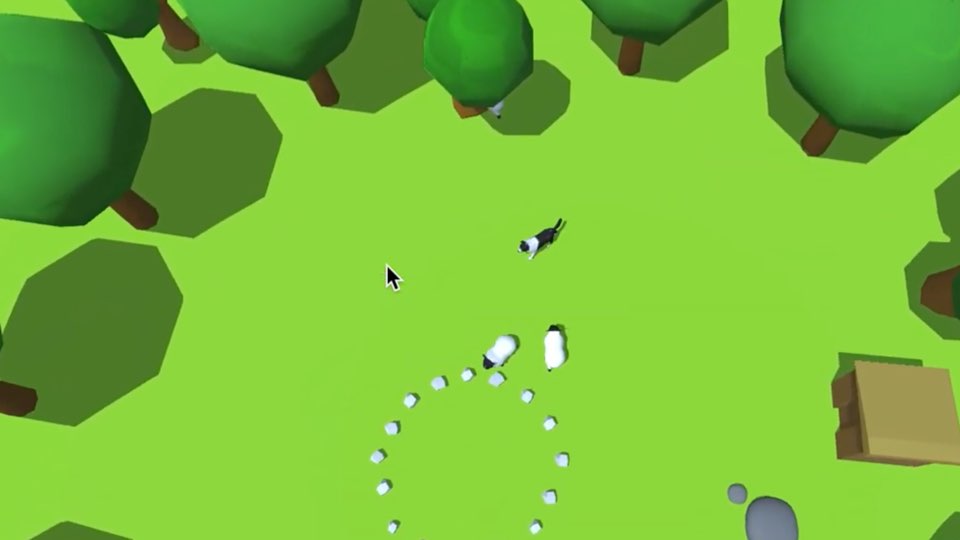
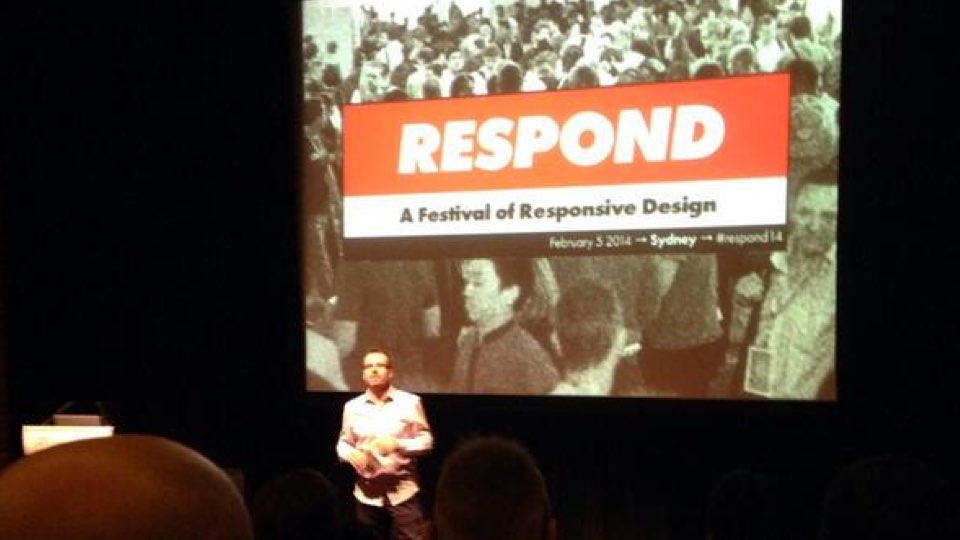
Getting over my massive fear of public speaking took another step this week. With a presentation about making an app with PhoneGap. The theme running through the presentation is that building an app was a new years resolution.

The begining of the presentation is missing a question by me to the audience asking whether anyone had an app in the app store, one person put their hand up.

CSS that can affect performance on iPad web apps or PhoneGap

There can be many performance challenges when developing for the iPad, you’ll immediately start running to the JavaScript to start tweaking it’s performance. But before you go there, consider the following things that are fairly standard when doing desktop CSS:

image replacement

What is it: In desktop CSS it’s pretty standard to text indent an element to something like -999999px, and include a background image.
What’s the symptom: One of the most obvious symptoms is flickering of elements as you animate them, this flickering may be on elements that share the same container as your text indented element
What’s the cure: many cures, you might text-indent to 100%, or include a span with in the element then hide it

animated gifs

What is it: We’ll often use animated gifs to show loading states, or small pieces of animation
What’s the symptom: If you run the iPad through Instruments on the Mac you’ll see CPU usage at a constant 40-50%
What’s the cure: use CSS3 animation

iFrames

What is it: Using iFrames in overflow:scroll elements to show things like videos or maps
What’s the symptom: If you have an iframe that is outside of the viewport in an overflow: scroll element  (especially when using -webkit-overflow-scrolling: touch) then it will not render as you scroll to it
What’s the cure: no idea, please send me the answer :)

One CSS riddle that has me stumped

http://bit.ly/yYJCwY

More info


iPad and iPhone app success stories and sales numbers

I love reading about apps that people have worked hard on and found great success. This posts contains some of those inspiring stories:

Draw Something

http://mashable.com/2012/03/01/draw-something/

Trainyard

http://struct.ca/2010/the-story-so-far/

Paperless

http://47hats.com/2010/08/paperless-so-far-the-apple-app-store/

Flight Control

http://firemint.com/2009/flight-control-sales-numbers/


Tips for preparing a PhoneGap app for release on ios

When I built my first app there’s a couple of things I wish I’d known, to save me a few hours.

Removing the gloss from the home screen icon

In the “Supporting Files” folder there’s a file called [YOUR APP NAME]-info.plist click this file to edit.

It will have lots of settings, like “icon file” and “bundle name”, you want to add to these settings, so hover over an existing setting and a + symbol will appear.

Click the plus symbol and start typing Icon already includes gloss effects if you’re doing this right then it will auto complete for you, in the value column set it to YES

Remove the spinner from the loading screen

In the “supporting files” folder there’s a file called PhoneGap.plist click this to edit.

You’ll see a list of settings, 5th down (or there abouts) you’ll see “ShowSplashScreenSpinner” set this to NO

Don’t feel stupid when preparing the file for release – there’s a lot of steps

There are a lot of steps to go through and you’re going to become paranoid that your app will be rejected because you didn’t tick the right box at the right time. Don’t worry, this guide helped me greatly: http://www.adobe.com/devnet/dreamweaver … p-pt7.html

When you’ve prepped your distribution release you won’t be able to debug it like you did when developing

When you’re developing, you probably use “run” a lot with an iPad plugged into your Mac, when you’ve followed the steps for preparing your distribution copy you’ll probably find that “Run” no longer works. Don’t worry, just continue following the steps to prepare the binary for distribution and you’ll be able to run it on your iPad by installing it through iTunes or the Organizer in Xcode.